


Testing Nano Banana
Everybody is talking ‘Nano Banana’ (Gemini 2.5 Flash).
What can it do? And what are its limitations?
Nano Banana is an AI image editing tool:
- It can add and remove elements (like Generative fill but often better, except with hands).
- It can keep a character reasonably steady in different perspectives and actions
- Advanced compositions / Combining multiple images
- Inpainting (Semantic Masking)
- Style Transfer
And because you are talking to a LLM, the prompting is very easy.
If you want to give Nano Banana a try (for free) you can do that here.
Step 1: Upload the image you want to edit
Step 2: Tell in the prompt what you would like to see changed.
Example:
Step 1: Upload the image
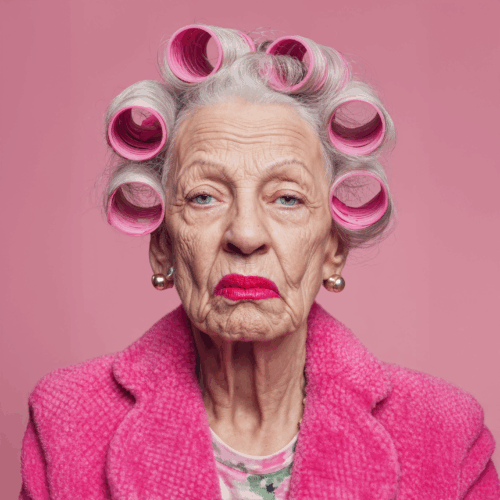
Step 2:
The Prompts:
The old lady is eating a hamburger
The old lady is drinking a pink cocktail
The old lady is eating birthday cake
The old lady is smiling
Results:
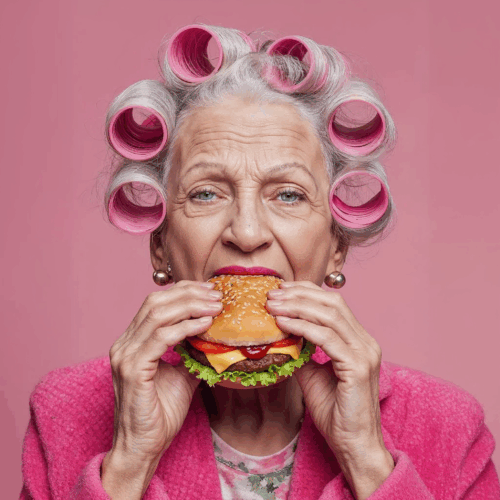
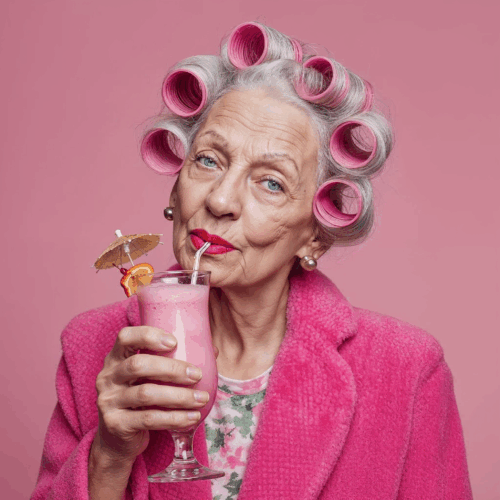
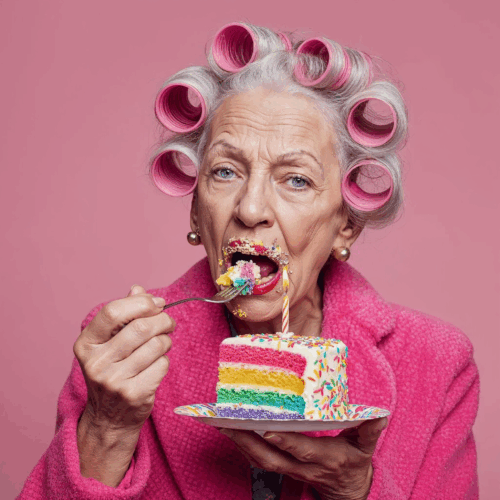
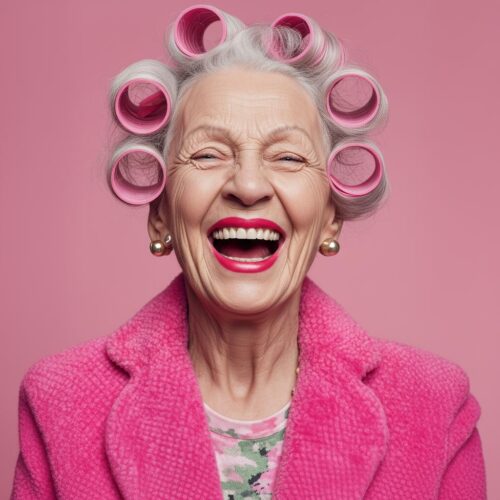
I always started with the first image and added the prompt. The last image where she is smiling, the image is a lot more ‘plastic fantastic’ than the others.
You can also change the environment, change her action and you can turn it into a ‘full body shot’.
The prompts:
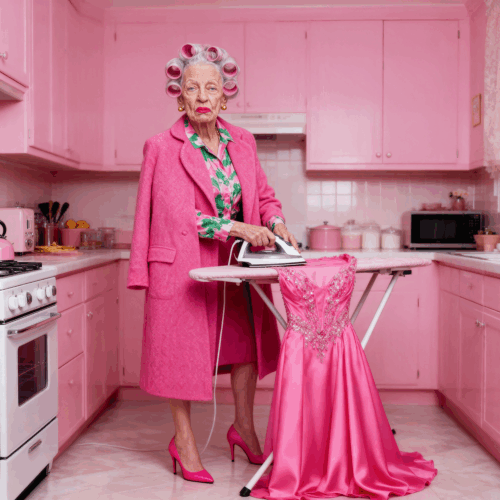
The old lady is ironing her pink gala dress in the pink kitchen on pink high heels in style of Vogue fashion photography. The coat she is wearing stays the same.
The old lady is cutting a turkey in a pink kitchen on pink high heels in style of Vogue fashion photography. Her coat stays the same.
The results:
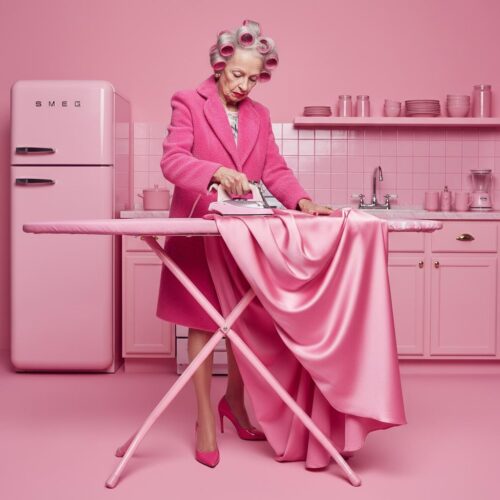
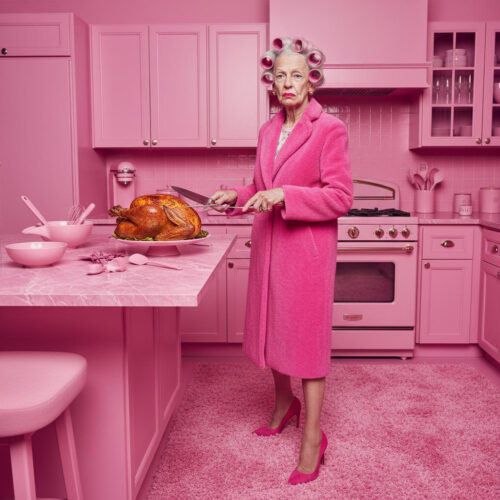
Nano Banana is really good in holding objects or house hold appliances (a lot better than Midjourney till now).
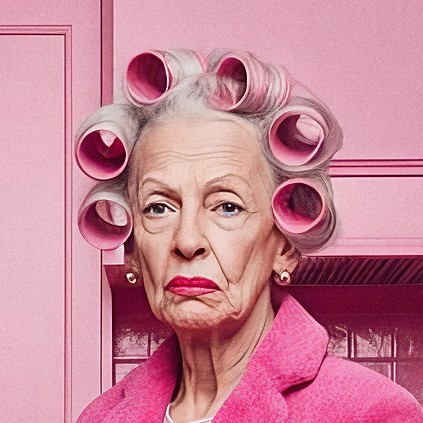
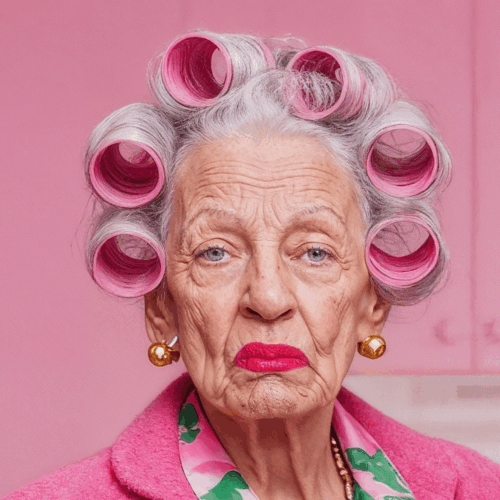
But after upscaling the photorealism changes into more of a drawing. The max resolution it delivers is 1024 x 1024 pixels in the 1:1 aspect ratio (and I tested multiple upscalers, even with Magnific it was disappointing).
A close up of her face after upscaling:
You can also add a background and a product. Again I started with the first portrait of the old lady and I added an image of the perfume bottle on a white background, plus an image of a ‘pink’ tree and some dark clouds. For the second image I added an image of the pink dress on a white background and I added an image of the pink bag on a white background to the portrait of the old lady.
The Prompts:
The old lady is holding the perfume bottle elegantly next to her face, in the background is the pink tree out of focus and make it look like a perfume advertisement.

The old lady is dressed in the pink dress, holding the pink bag sitting on the couch in a pink living room
The Results:
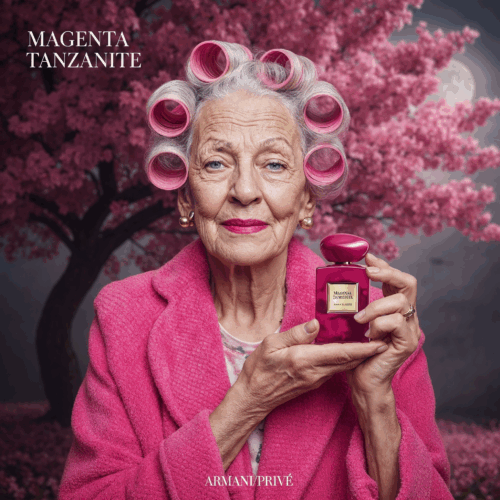
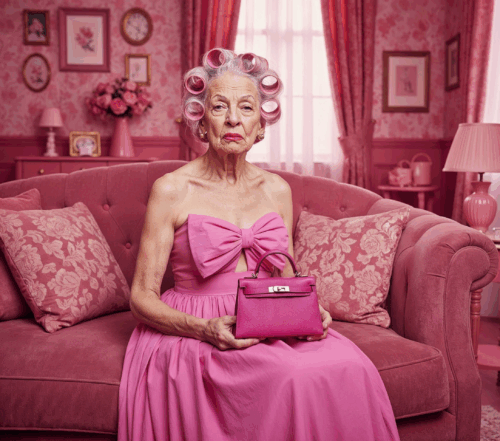
The Perfume advertising image stayed pretty much ok after the upscale (only the text on the bottle has to be adjusted in Photoshop). But the image with the pink bag (a smaller face) ended up as a drawing like the earlier ‘total body shot’ did. And the dress changed. Most people on YouTube say it is perfect for ‘virtual try ons’, but also with Nano Banana the clothing changes often.
Tip: AI is not good with ‘how the size of one thing relates to the other’. If you get an image where i.e. the perfume bottle is too big, increase the amount of white space around the perfume bottle. Another wise thing to do is to make sure all input images have the same aspect ratio.
Inpainting (Semantic Masking) works really well for interiors.
Input images:
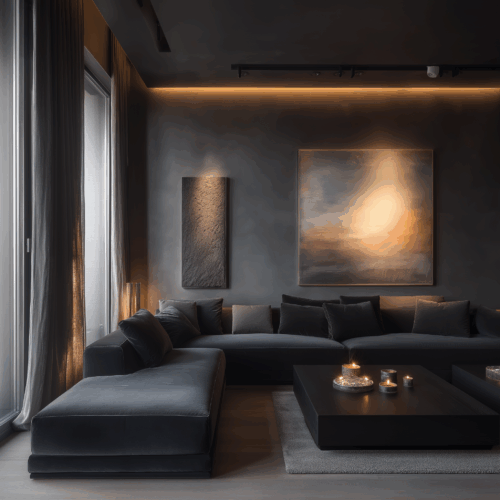
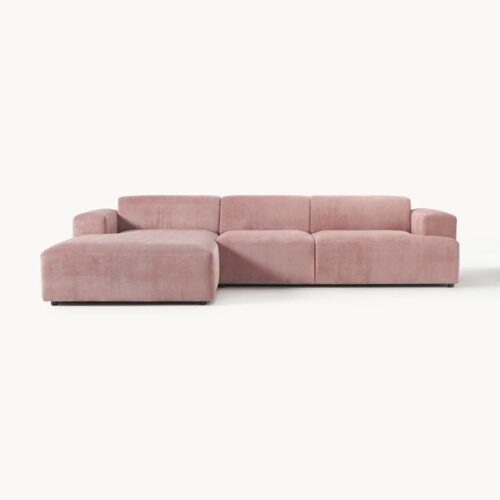
With semantic masking you can work with ‘chain prompting’, i.e. first you change the couch, then the ceiling then the art on the wall etc. etc. You use multiple prompts in a ‘chain’ to get to the desired result.
Prompts:
Replace the big couch with the pink couch

Make the ceiling white
Results:
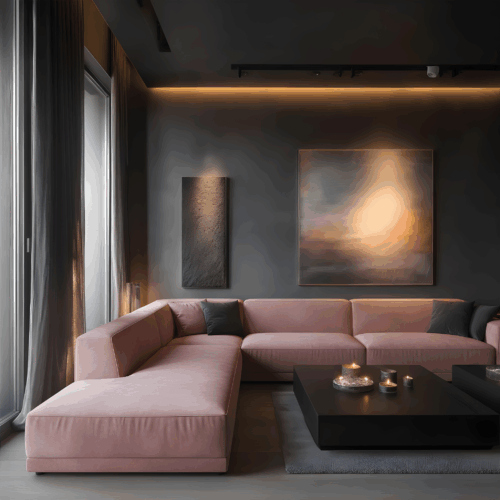
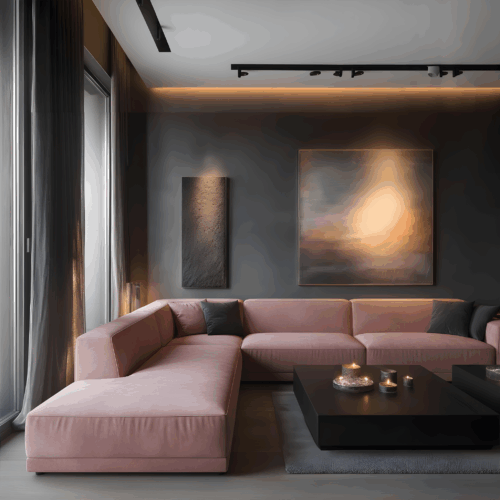
It stays creative – it is not the same pink couch and the ceiling has some breaking lines.
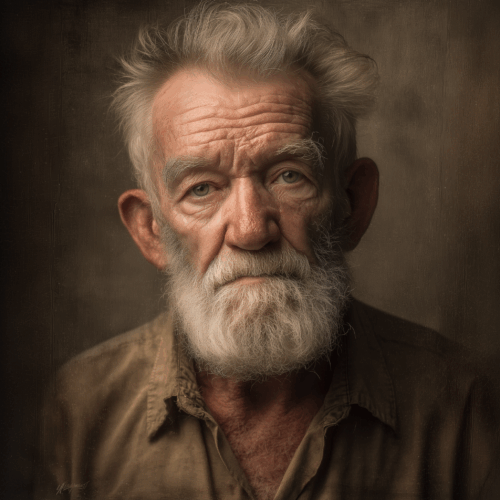
Style Transfer
Input images:
Prompt:
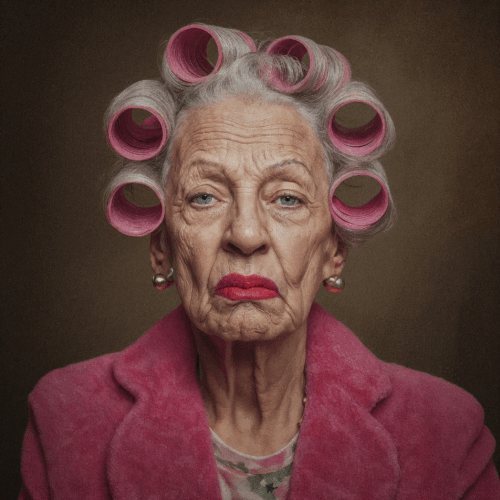
Change the style and colours of the image of the old lady to the image style and colours of the old man
Result:
If you want to know more about prompt templates for Nano Banana check out these Google Docs.
Conclusion:
Nano Bananas brings a lot of possibilities and more control, but if you need the images for high resolution purposes, you will be very disappointed. Or at least, It does not meet my quality standards.
Want to know more applications for Nano Bananas? Check this video.
TIPS:
There is also a Nano Banana plug-in for photoshop. It is a bit nerdy to install, but the explanation is really clear.
Here you can find YouTube video that shows how it works and here you can buy the Photoshop plug-in starting from $ 9. You will also need an account on Replicate.com.
NEWS:
A new AI-image-editing tool got released. Seeddance 4.0 and it delivers in a higher resolution than Nano Banana.
You can test it at the LM Arena
And then select ‘Seeddance-4-high-res’.
Result for total body shot:
A close up of her face after upscaling:
So much better than Nano Banana!
Happy Prompting!
#keeponlearning